Redesigning the user interface of a
neuroscience health center website.

Redesigning the user interface of a neuroscience health center website.

Redesigning the user interface of a neuroscience health center website.

Case Summary

What was the problem?


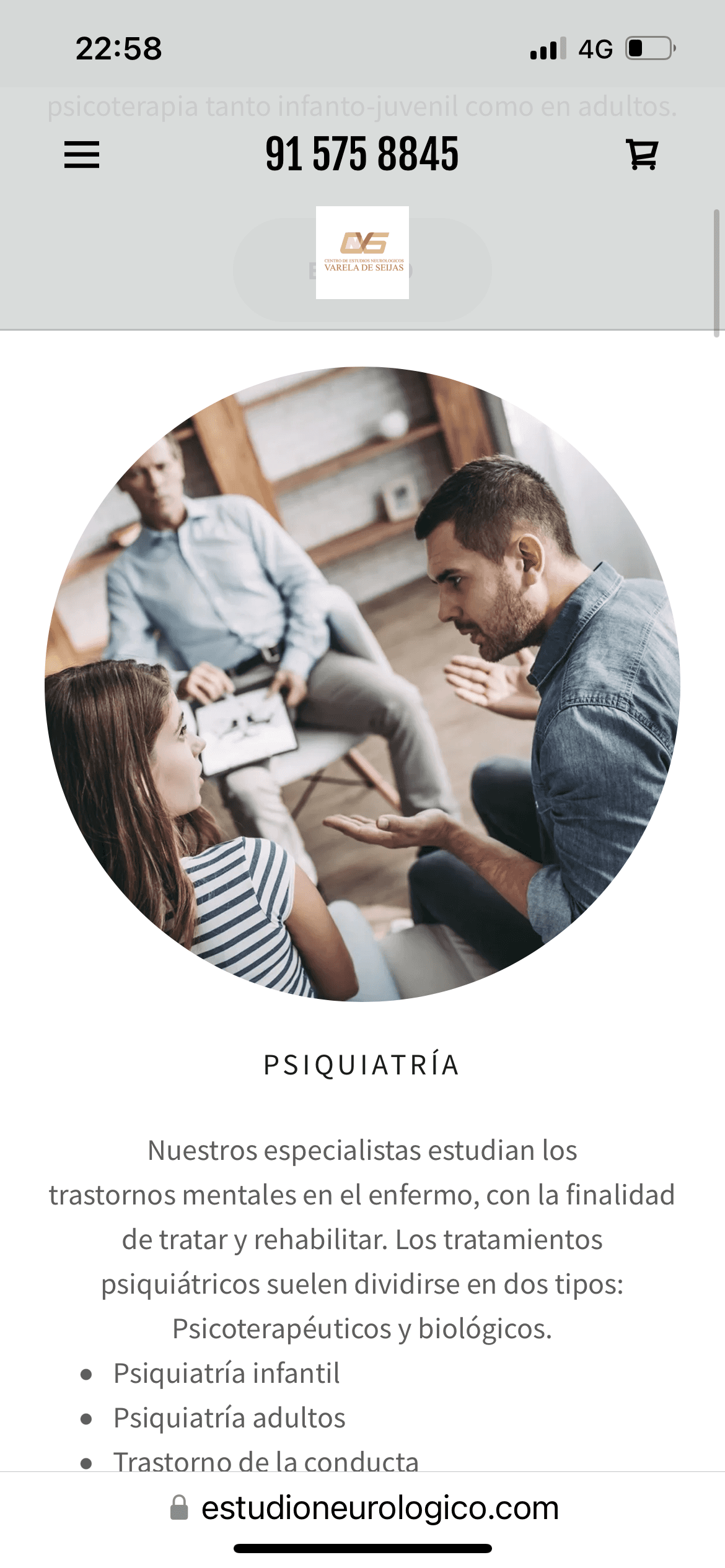
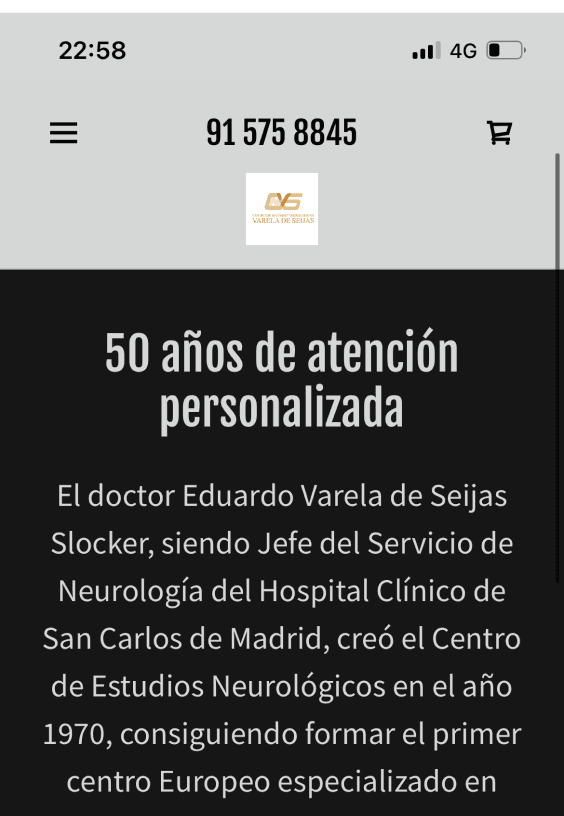
At our initial meeting, the client expressed concerns that their current website’s look and feel were not currently reflecting their brand identity. They believed their website was cluttered and therefore made it difficult for patients to efficiently find the information they were looking for.


How did we aim to solve it?


I overcame this challenge by using UI principles to enhance the
clinic’s visual language, aligning it with the brand’s needs, while
streamlining the website’s structure. This approach ensured a
cohesive experience that takes usability best practices into account.


How did we aim to solve it?


I overcame this challenge by using UI principles to enhance the clinic’s visual language, aligning it with the brand’s needs, whilestreamlining the website’s structure. This approach ensured a
cohesive experience that takes usability best practices into account.


My Role:


UX/UI Designer

Deliverables:


High-fidelity mobile and web mockups Figma File

High-fidelity mobile, web mockups Figma File

The Client:


The Centro de Estudios Neurologicos Varela de Seijas

Timeline:


6 weeks (September - November 2024)

Analysing the current design

For this project, I was working with an existing design which provided a foundation to reference already and an idea of the functional requirements I would need to consider.

Functional Requirements:

1

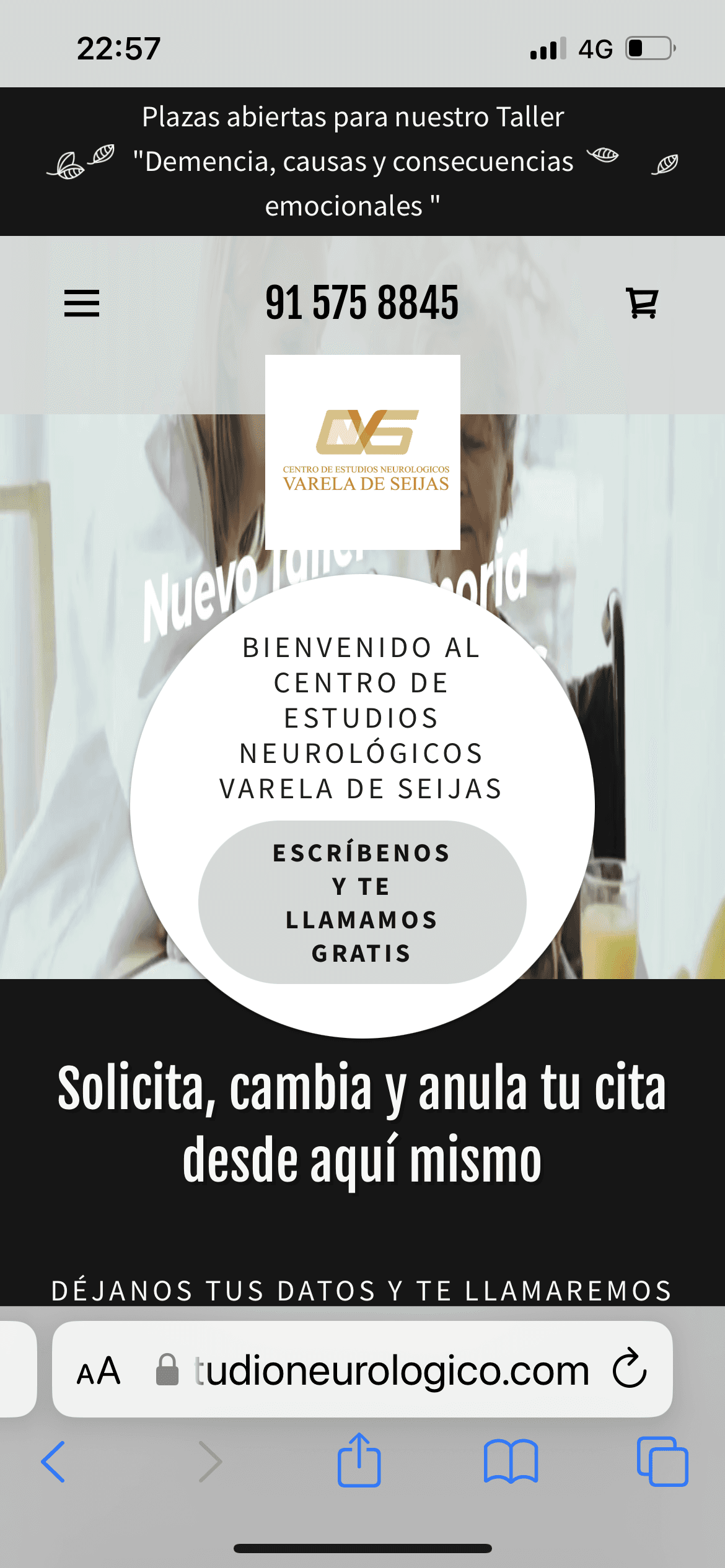
Inicio/ Home Page

2

Especialidades/ Specializations

3

Sobre Nosotros/ About Us

4

Talleres/ Workshops

5

Pedir una cita/ Book appointments

6

Portal Paciente/ Patients Portal

7

Contacto/ Contact
Who am I designing for?

The primary user persona was defined by the client as someone potentially interested in becoming a patient at the clinic:

The primary user persona was defined by the client as someone potentially interested in becoming a patient at the clinic:


1 Matilda: Potential Patient

Behaviours: She uses Google to search for a health

specialist in her area, ideally in Madrid city center so

that it is close to where she lives.

Behaviours: She uses Google to search for a health specialist in her area, ideally in Madrid city center so

that it is close to where she lives.

Goals: She aims to find a professional doctor who works

in a clinic that specializes in treating memory problems,

that she is currently experiencing.

Goals: She aims to find a professional doctor who works in a clinic that specializes in treating memory problems, that she is currently experiencing.

Who am I designing for?

The primary user persona was defined by the client as someone potentially interested in becoming a patient at the clinic:


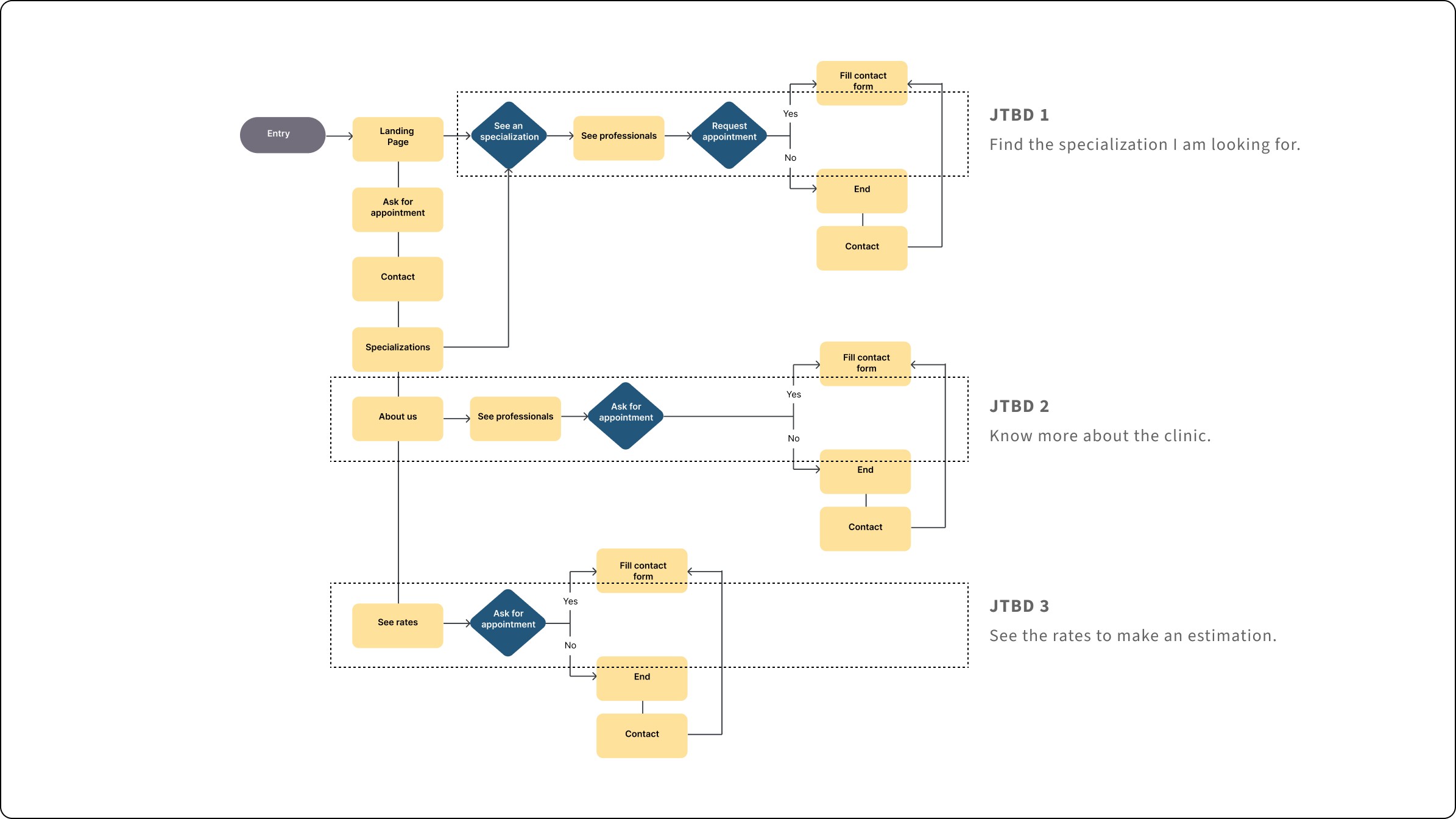
What user flows need to be designed?

I created user flows based on the descriptions provided by the client about the user persona and the overview of

the current website design, this was based on assumptions and not yet confirmed by research.

I created user flows based on the descriptions provided by the client about the user persona and the overview of the current website design, this was based on assumptions and not yet confirmed by research.

I created user flows based on the descriptions provided by the client about the user persona and the overview of the current website design, this was based on assumptions and not yet confirmed by research.

1

Job to be Done

As someone seeking specific medical care, I want to know what specializations the clinic offers so that I can find the care I need.

2

Job to be Done

As someone considering

becoming a patient, I want to learn

more about the clinic so I can

effectively determine if its

services meet my needs.

3

Job to be Done

As someone interested in

receiving services, I want to know

the rates so I can see the costs

and determine if they fit

my budget.
src
src
src

Performing a design audit

Implementing Jakob’s Nielsen 10 usability heuristics for the website’s design audit of the website was invaluable to understand

potential areas of improvement such as:

Implementing Jakob’s Nielsen 10 usability heuristics for the website’s design audit of the website was invaluable to understand potential areas of improvement such as:

Developing wireframes

I started to sketch the different screens based on the relevant tasks users would theoretically have to perform on the website, which are also

presented above as "Jobs to be Done". Creating the wireframes was important in order to be able to effectively communicate the layout and information architecture while getting a proper understanding of the user flows. On the other side, what I regret is not creating high-fidelity wireframes early enough to be able to discuss them with the client, that came at a later stage.

I started to sketch the different screens based on the relevant tasks users would theoretically have to perform on the website, which are also presented above as "Jobs to be Done". Creating the wireframes was important in order to be able to effectively communicate the layout and information architecture while getting a proper understanding of the user flows. On the other side, what I regret is not creating high-fidelity wireframes early enough to be able to discuss them with the client, that came at a later stage.

“As someone seeking specific medical care, I want to know what specializations the clinic offers so that I can find the care I need.”

“As someone considering becoming

a patient, I want to learn more about the

clinic so that I can effectively determine if

it’s services meet my needs.”
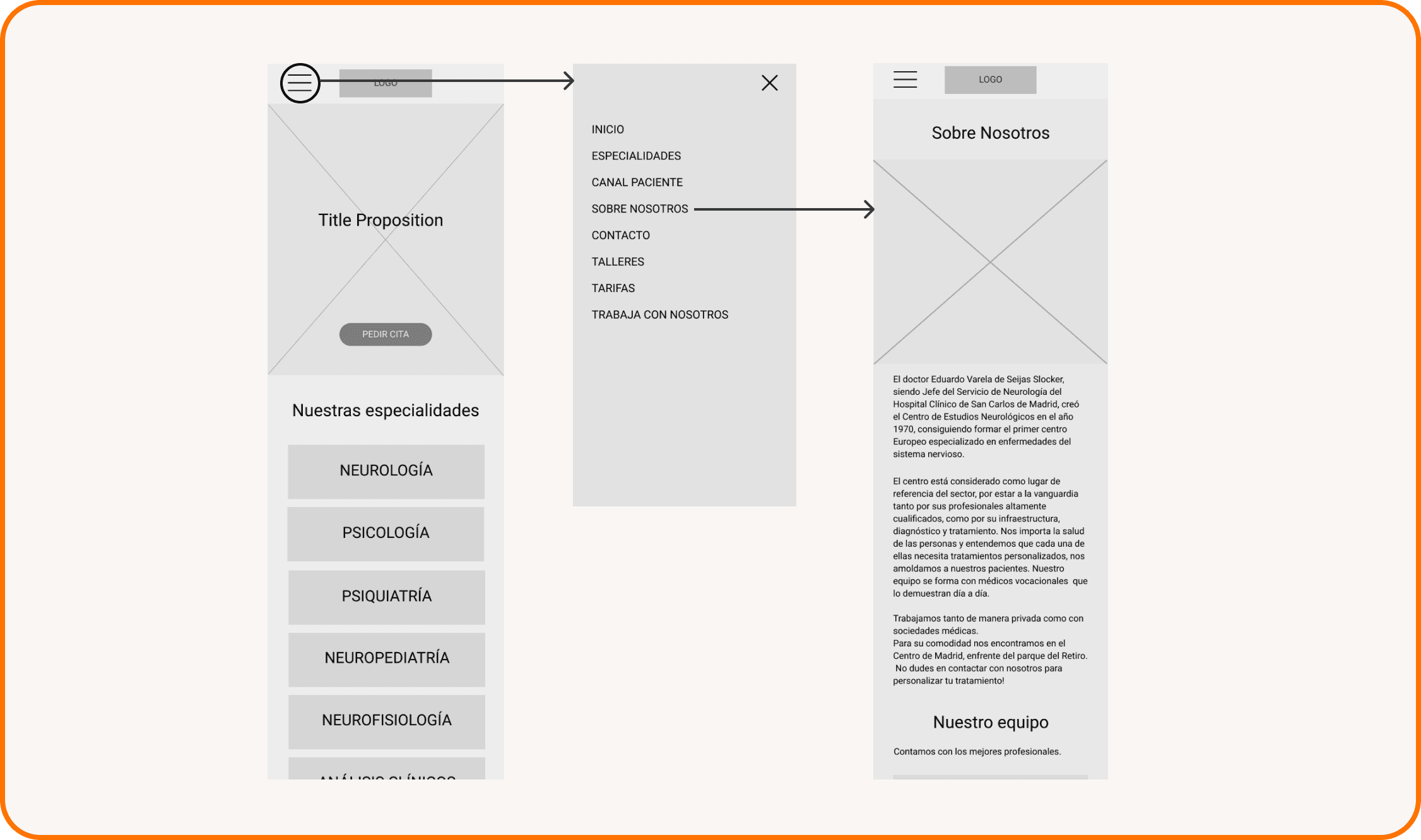
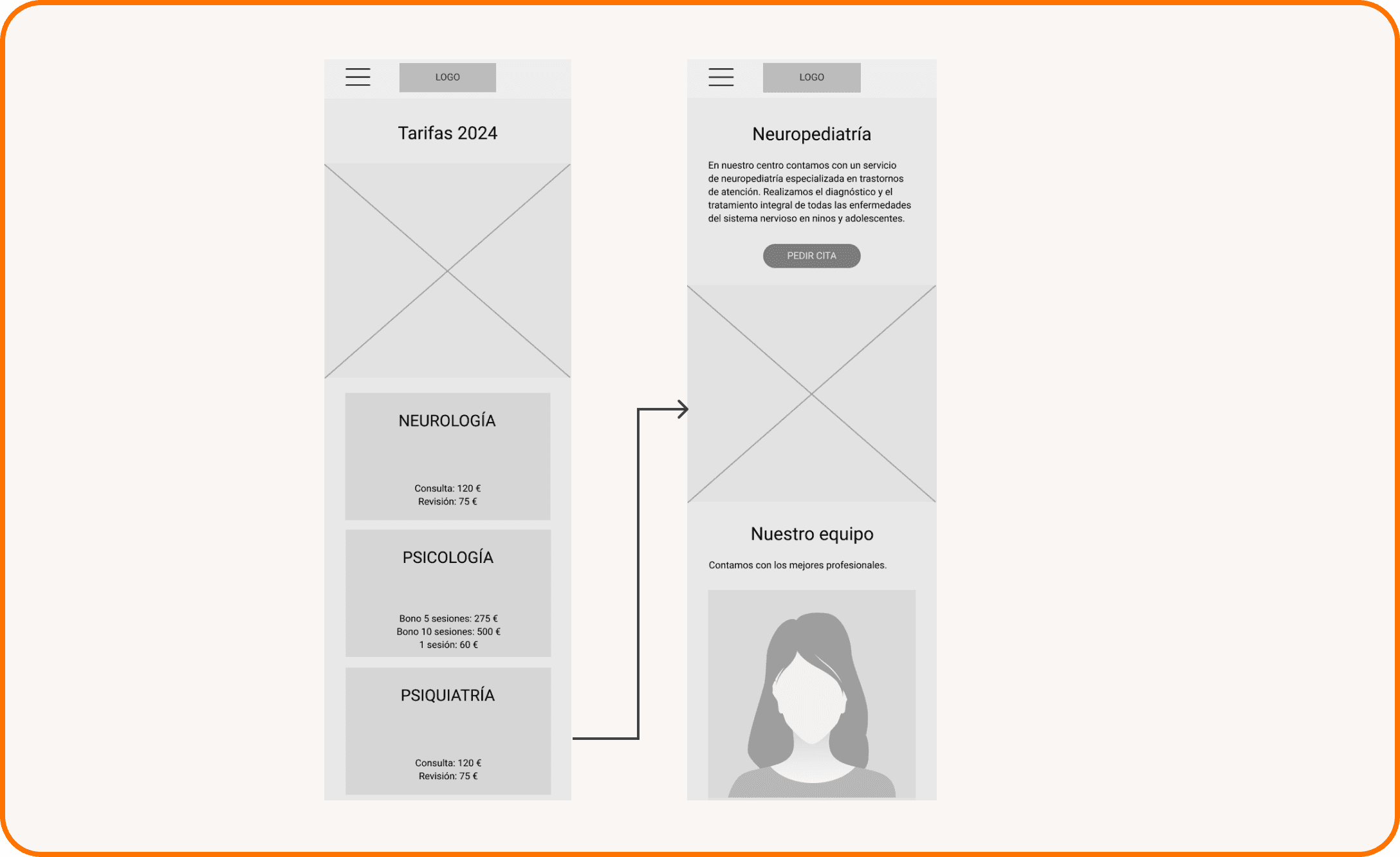
“As someone interested in receiving services, I want to know the service rates so I can see the costs and determine if they fit my budget.”

“As a patient needing specific medical

care, I want to schedule an appointment

with an expert in that specialty to receive

medical attention that meets my needs.”

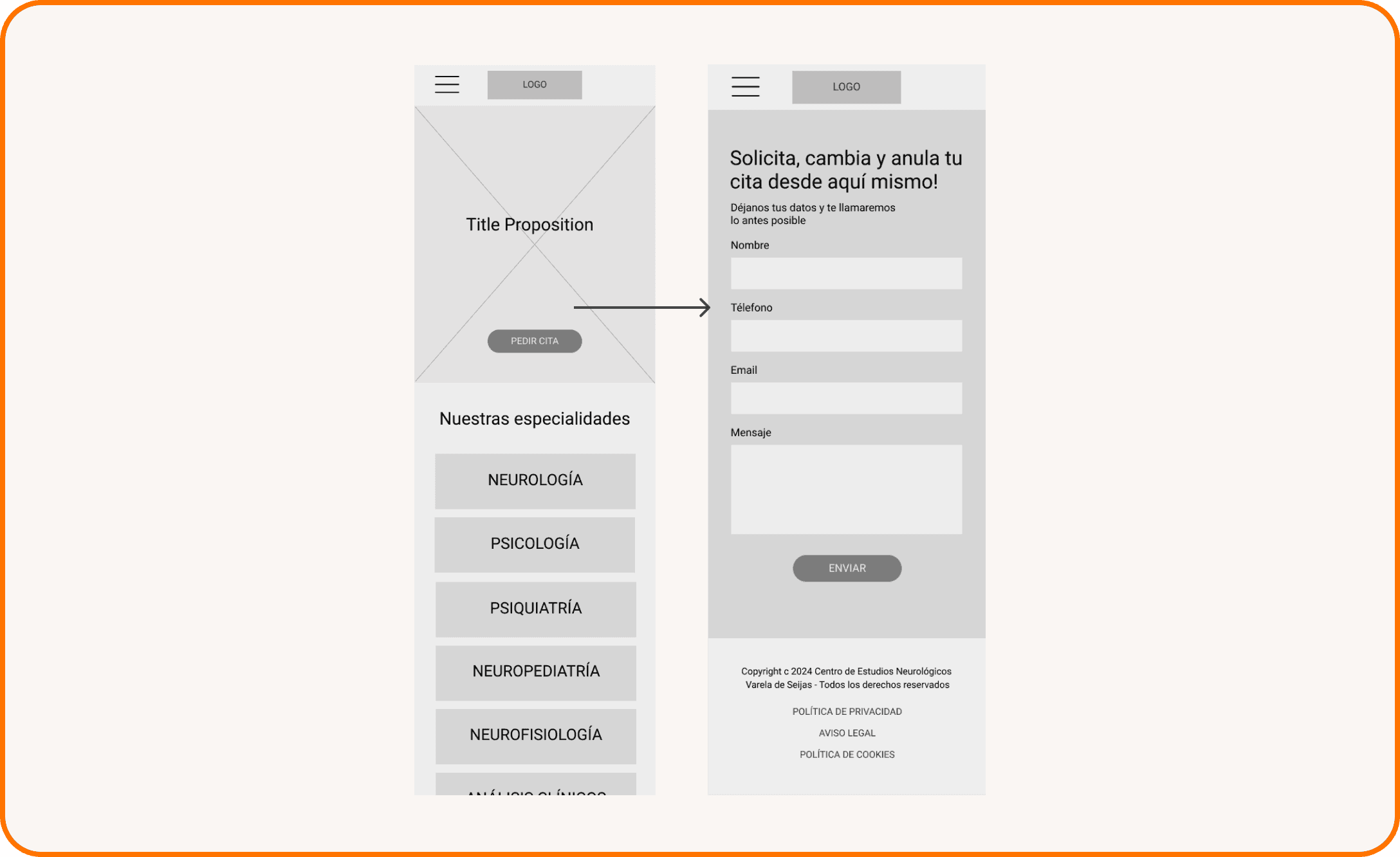
“As someone who needs to get in touch with the center, I want to be able to leave my contact information so that the center can reach out to me.”

Moodboard

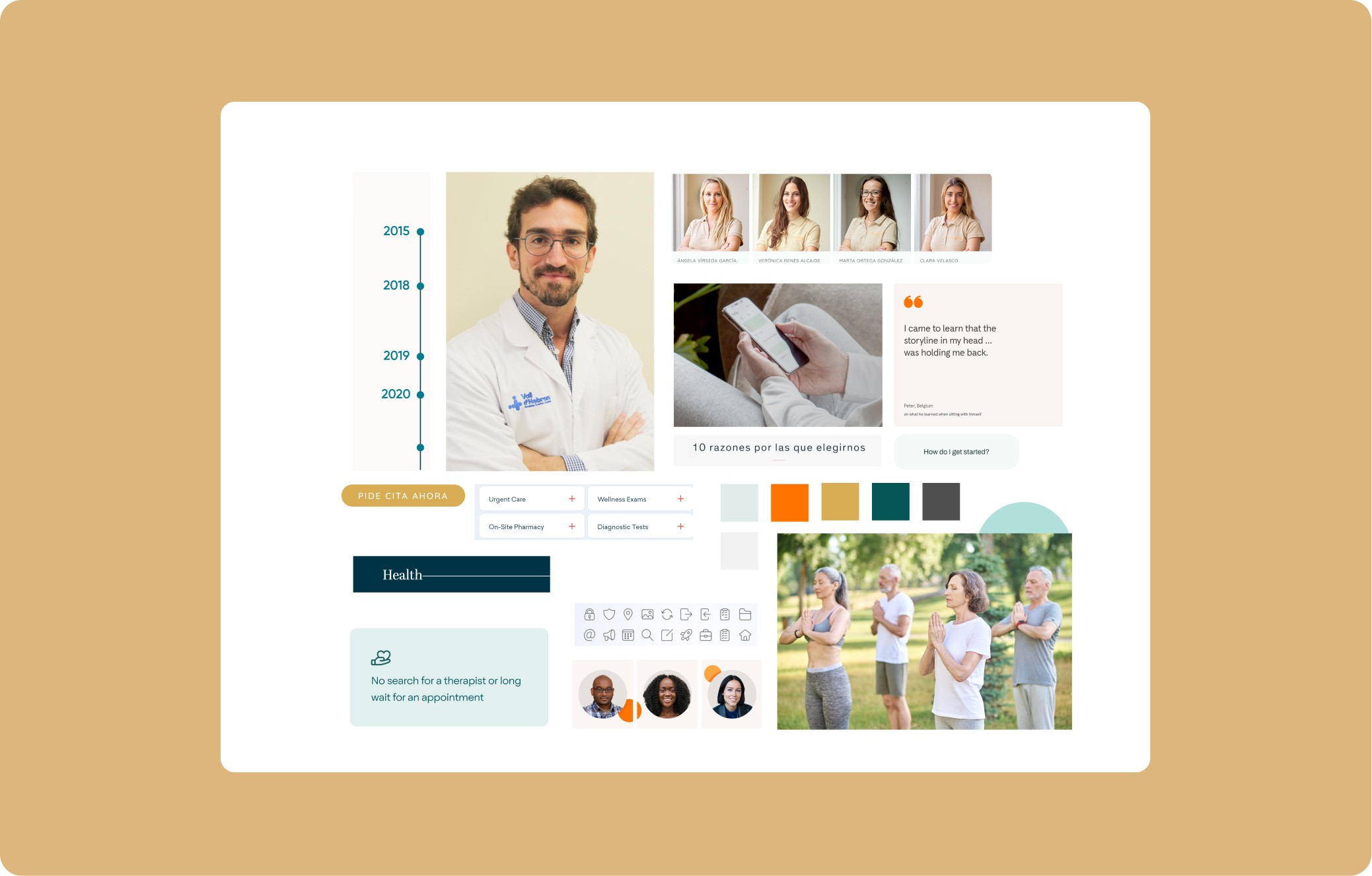
Before diving into high-fidelity wireframes, I developed several moodboard options inspired by the keywords that were

discussed with the client to accurately represent their aimed visual style. We chose the following adjectives:

Before diving into high-fidelity wireframes, I developed several moodboard options inspired by the keywords that were discussed with the client to accurately represent their aimed visual style. We chose the following adjectives:

Color Palette

The original orange was adapted as an accent color for better accessibility and a modern feel, complemented by a

muted blue-green for contrast. Soft gray tints balance the saturated accent, creating a clean, professional, and contemporary look.

The original orange was adapted as an accent color for better accessibility and a modern feel, complemented by a muted blue-green for contrast. Soft gray tints balance the saturated accent, creating a clean, professional, and contemporary look.

The original orange was adapted as an accent color for better accessibility and a modern feel, complemented by a muted blue-green for contrast. Soft gray tints balance the saturated accent, creating a clean, professional, and contemporary look.

USED AS ACCENT: PUMPKIN

USED FOR THE TEXT: ONYX

USED AS PRIMARY: BABY POWDER

BACKGROUND COLOR: PURE WHITE

USED AS SECONDARY: VERDIGRIS

Typography

The chosen typography had to convey a warmth and modern look that Source Sans Pro achieves,

while prioritizing a high level of readability.

The chosen typography had to convey a warmth and modern look that Source Sans Pro achieves, while prioritizing a high level of readability.

The chosen typography had to convey a warmth and modern look that Source Sans Pro achieves, while prioritizing a high level of readability.

Aa

Source Sans Pro

SemiBold

SemiBold

WEIGHT

SIZE-S

LINE-HEIGHT

SPACING

PIXELS

PREVIEW

H1

H2

H3

H4

BODY

BUTTONS

LINKS

LABELS

LEGAL

semibold/600

2.44rem

1.96rem

1.56rem

1.25rem

1rem

1rem

1rem

1rem

1rem

0.75rem

120%

39.1

31.3

25

20

16

16

16

16

16

12

120%

120%

120%

160%

-

125%

120%

120%

120%

0

0

0

0

2%

4%

2%

2%

2%

0

semibold/600

semibold/600

regular/400

regular/400

sbold/600

regular/400

sbold/600

regular/400

regular/400

mobile

active

LABELS

inactive

Type something here

Type something here

Type something here

Type something here

Type something here

Type something here

Type something here

Type something here

Type something here

Type something here

Mockup

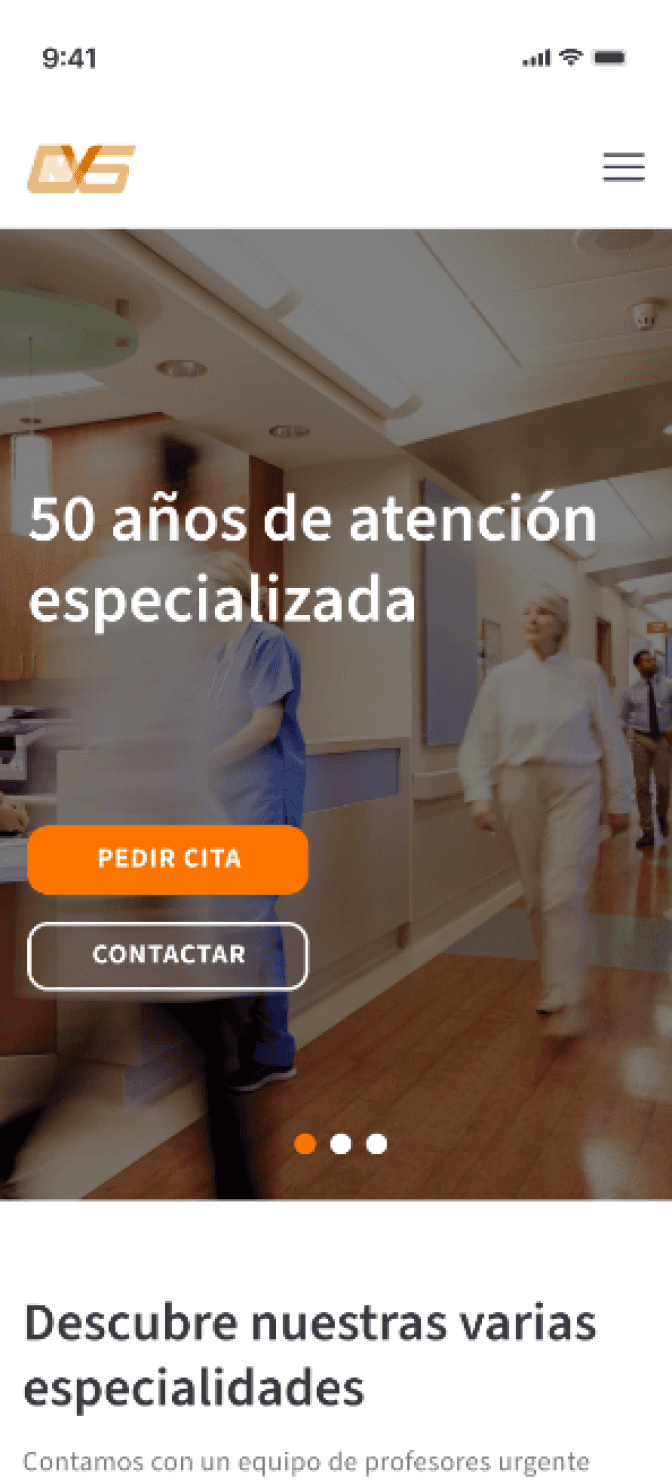
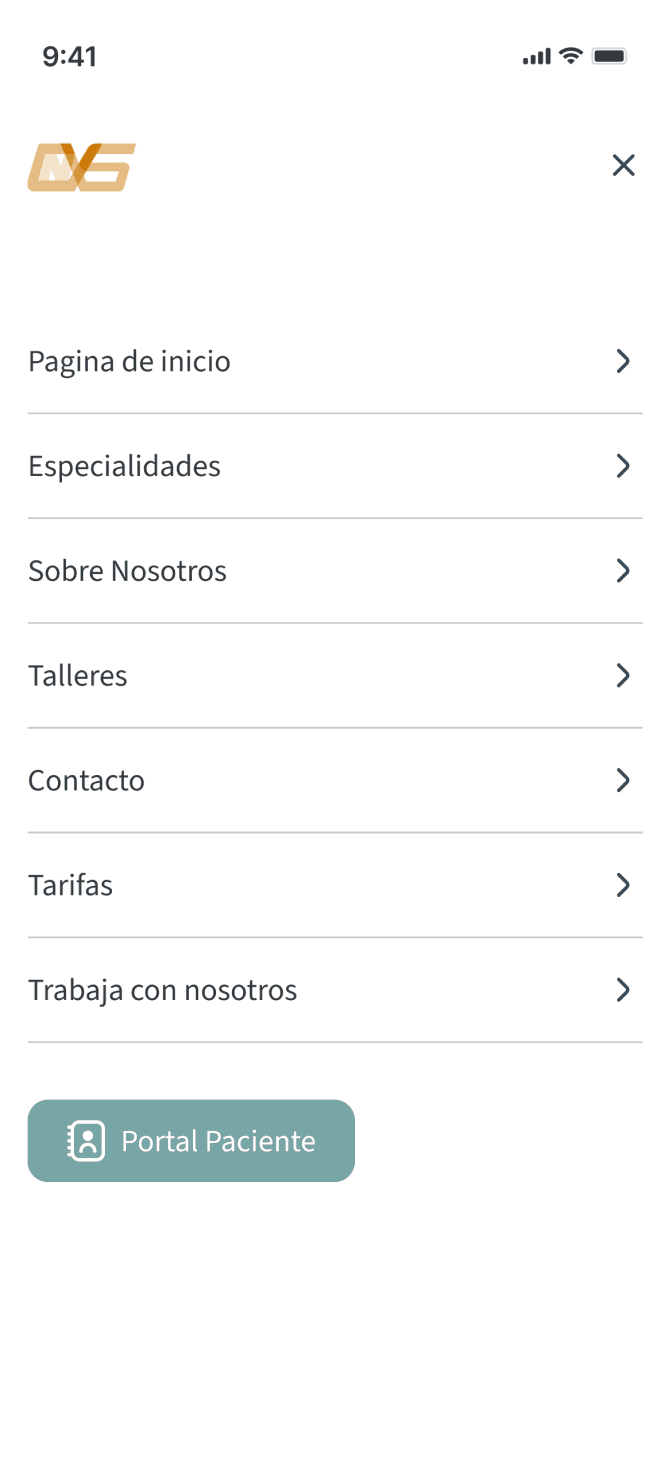
How did I design for different breakpoints?

1

Content Prioritization: I used a mobile

first approach to streamline critical content

for smaller screens.

Content Prioritization: I used a mobile first approach to streamline critical content for smaller screens.

2

Adaptive Layout: I used a 4-point grid system

for consistency across all devices.

Adaptive Layout: I used a 4-point grid system for consistency across all devices.

3

Enhanced Usability: I adjusted the navigation

and included extra content to optimize the

user experience for bigger screens.

Enhanced Usability: I adjusted the navigation and included extra content to optimize the user experience for bigger screens.

The prototypes that empowered client feedback

At a later stage of the project, after creating high-fidelity prototypes and presenting them to the client for feedback, this process

allowed the client to better understand the work so far and make necessary adjustments to the main tasks I had outlined for the patients.

At a later stage of the project, after creating high-fidelity prototypes and presenting them to the client for feedback, this process allowed the client to better understand the work so far and make necessary adjustments to the main tasks I had outlined for the patients.

Task 1: See specializations

“As someone seeking specific medical care, I want to know what specializations the clinic offers so that I can find the care I need.”

“As someone seeking specific medical care, I want to know what specializations the clinic offers so that I can find the care I need.”

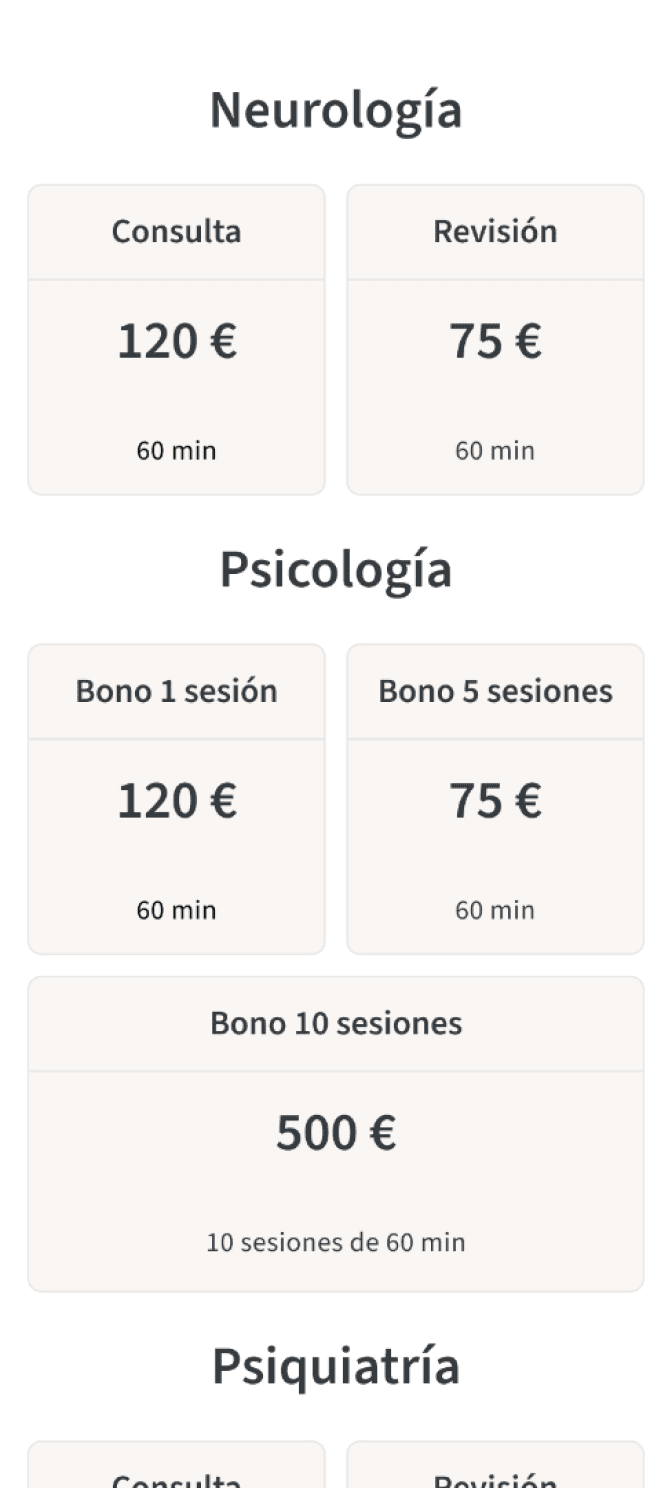
As someone interested in receiving services, I want to know the rates so I can see the costs and determine if they fit with my budget.

Task 2: See rates

As someone interested in receiving services, I want to know the rates so I can see the costs and determine if they fit with my budget.

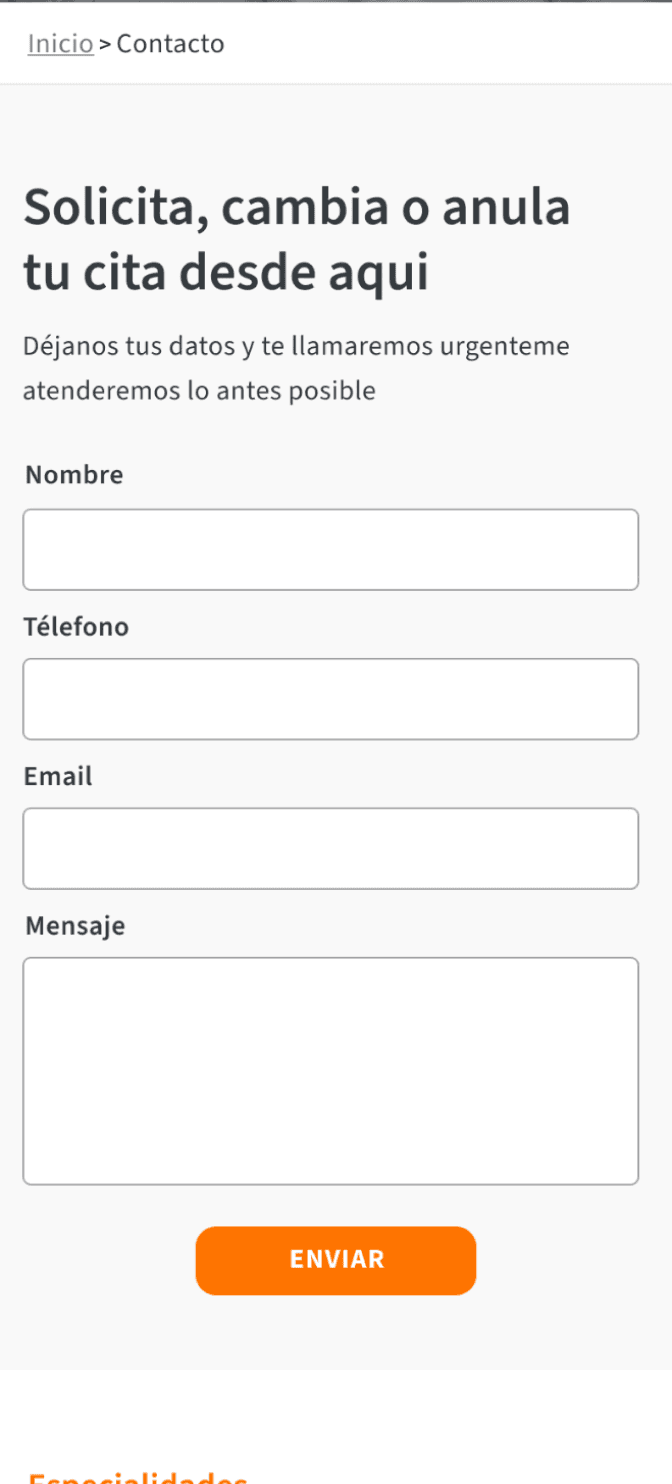
Task 3: Contact the clinic

Task 3: Contact the clinic

“As someone who needs to get in touch with the center, I want to be able to leave my contact information so that the center can reach

out to me.”

“As someone considering becoming

a patient, I want to learn more about the

clinic so that I can effectively determine if

it’s services meet my needs.”
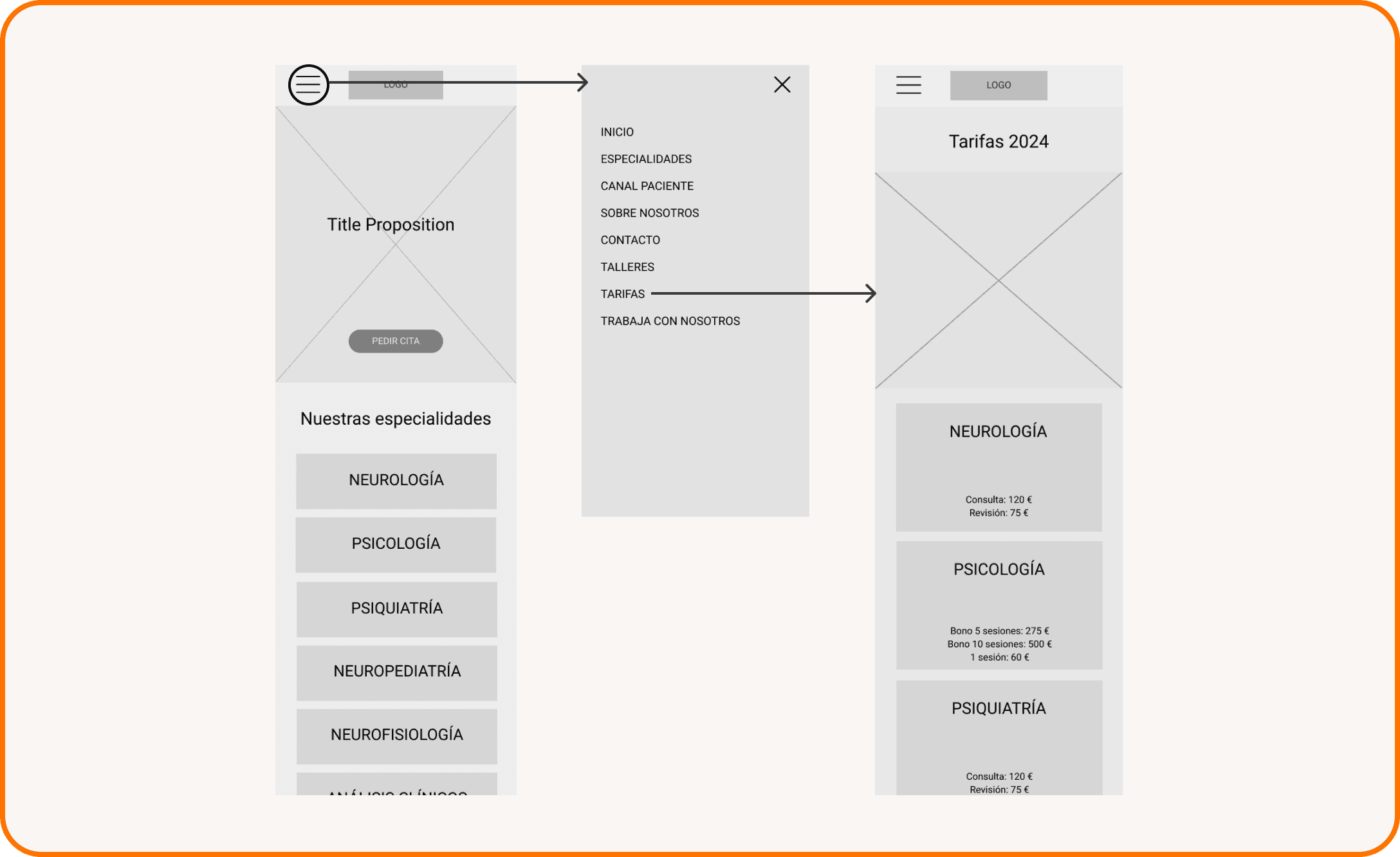
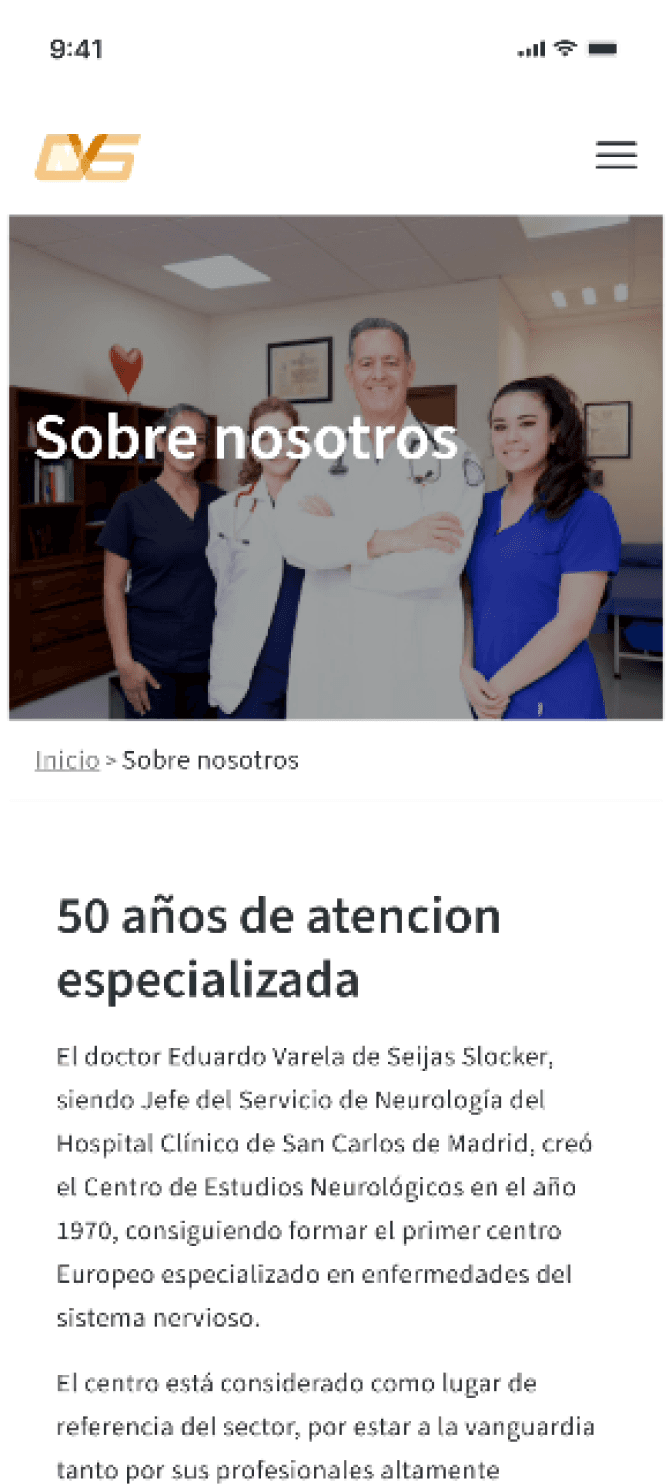
Task 4: Know more about the clinic

“As someone considering becoming

a patient, I want to learn more about the

clinic so that I can effectively determine if

it’s services meet my needs.”

Key Learnings

  1. Projects don't exist exit in a vacuum: if I hadn't collaborate with my client on this project by listening to his concerns, ideas

    and implementing the feedback received I would have missed the opportunity of learning about the project and the health industry.


  2. I need to take it one step at a time: I learned to break down the different design challenges I encountered in the process and

    started solving on at a time.

Next Steps

  1. Validate the mood and functionality of the website by conducting usability research and a first round of usability testing with patients.


  2. Get more information about the experience patients have when they book an appointment in the website (e.g. by conducting focus groups).

Create a free website with Framer, the website builder loved by startups, designers and agencies.